AFFILIATE DISCLAIMER: This page contains some affiliate links, which means we may receive a small commission if you purchase through our links (at no extra cost to you). We only recommend companies that we have personally used, love, and trust. For more information please check out our disclosure policy HERE!
I mentioned a few months ago that I was struggling with the ART MODE on our Samsung Frame TV, and I think I *finally* figured out how to get it to look like ACTUAL art instead of a glowing photo. But in case you have no idea what I’m talking about, let me back peddle a bit and explain!
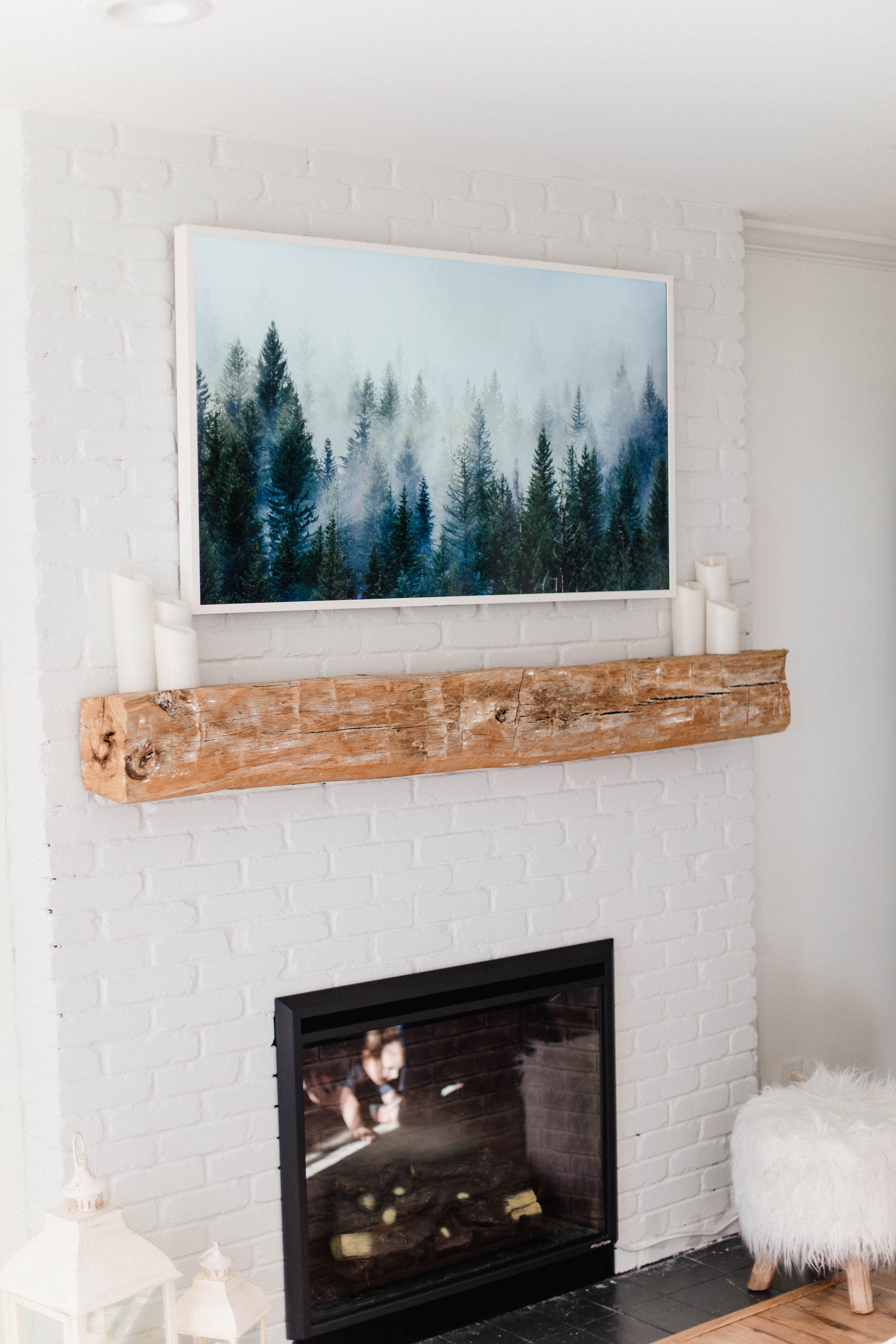
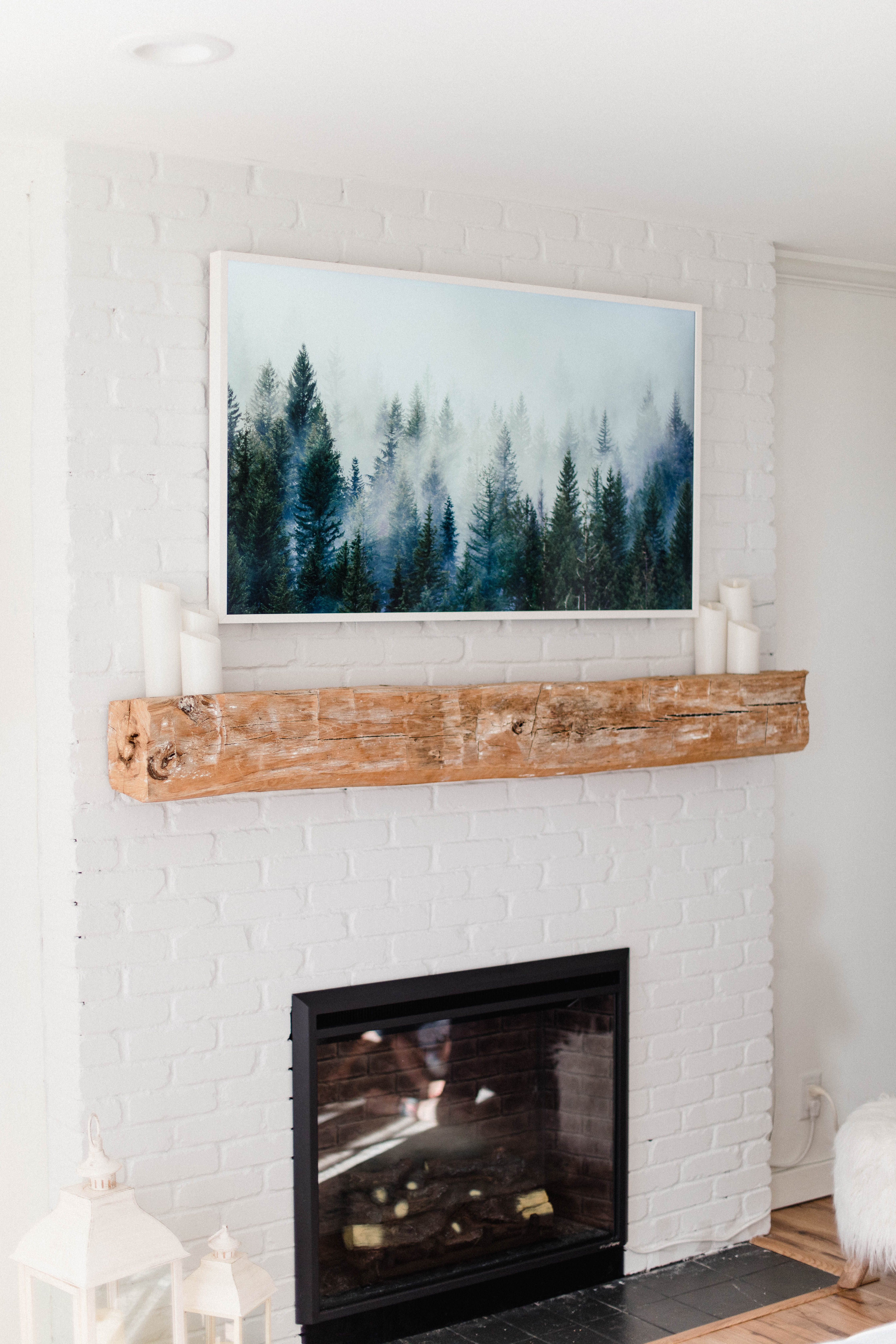
We (really, my husband…but part of marriage is about compromise, so…) wanted to put a TV above our fireplace in our living room. I really enjoy having artwork and decor on and above our mantle, so getting the Samsung Frame TV seemed to be a great compromise because it’s designed to look like artwork on the wall. It has a bracket that allows the TV to lay flat, and even has interchangeable frames (white, dark wood, black, and light wood). The ART MODE allows you to select and upload a variety of artwork options to the screen so the TV looks like actual art instead of a black box on your wall.
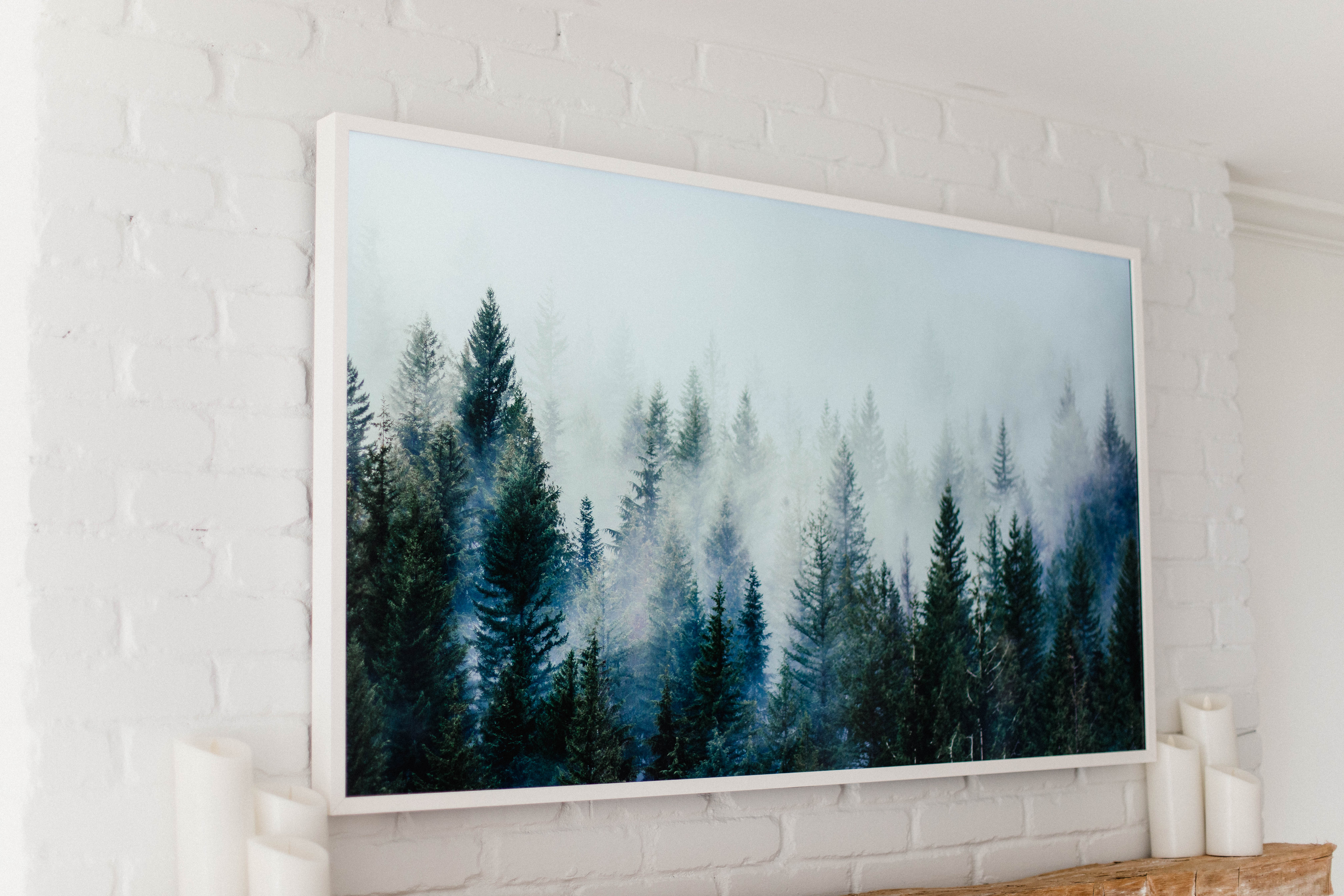
However….I was NOT pleased with how it looked when we got it up and running. It reminded me of one of those 90s photo frames that just glows…and I felt like it made the room LESS cozy. Samsung has an Art Store that you can subscribe to for a small monthly fee that has a variety of art options, or you have the option of uploading your own image. I played around with both of these options, as well as the art settings (you can adjust the brightness and tone of the image), SO MUCH and felt like nothing really made it look as I was initially expecting. I browsed the internet for a solution, and came across one blog post that really didn’t help with my exact question – how the hell do I get it to ACTUALLY look like art and not glow so much? So I decided to go on a mission to figure out how to get the art work looking as close to actual artwork as possible!
My first suggestion..don’t bother with the Art Store. I did not love the selection and it was hard finding artwork that matched my home. I ended up canceling our subscription once I found a better way. It is FREE to upload your own photo though, which leads me to my next point.
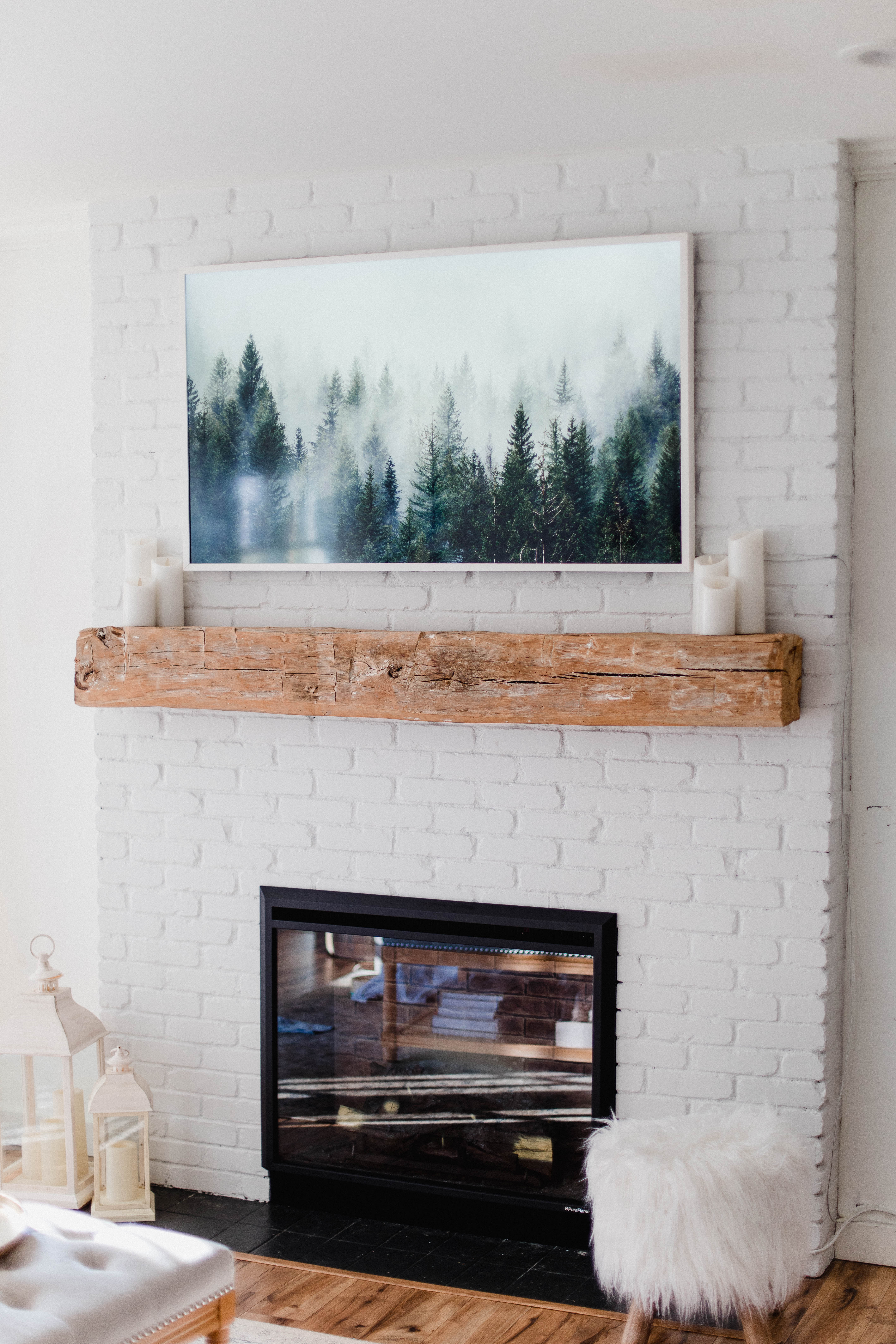
I decided to purchase digital art that I found from THIS Etsy shop to see how it would look on the Samsung Frame TV. I found THIS wintery print that was exactly what I was looking for for the winter season. It was only a few bucks, so I figured even if it didn’t work…it cost me next to nothing to try! I downloaded the image and then uploaded it to the Frame via the Smart Things app on my phone.
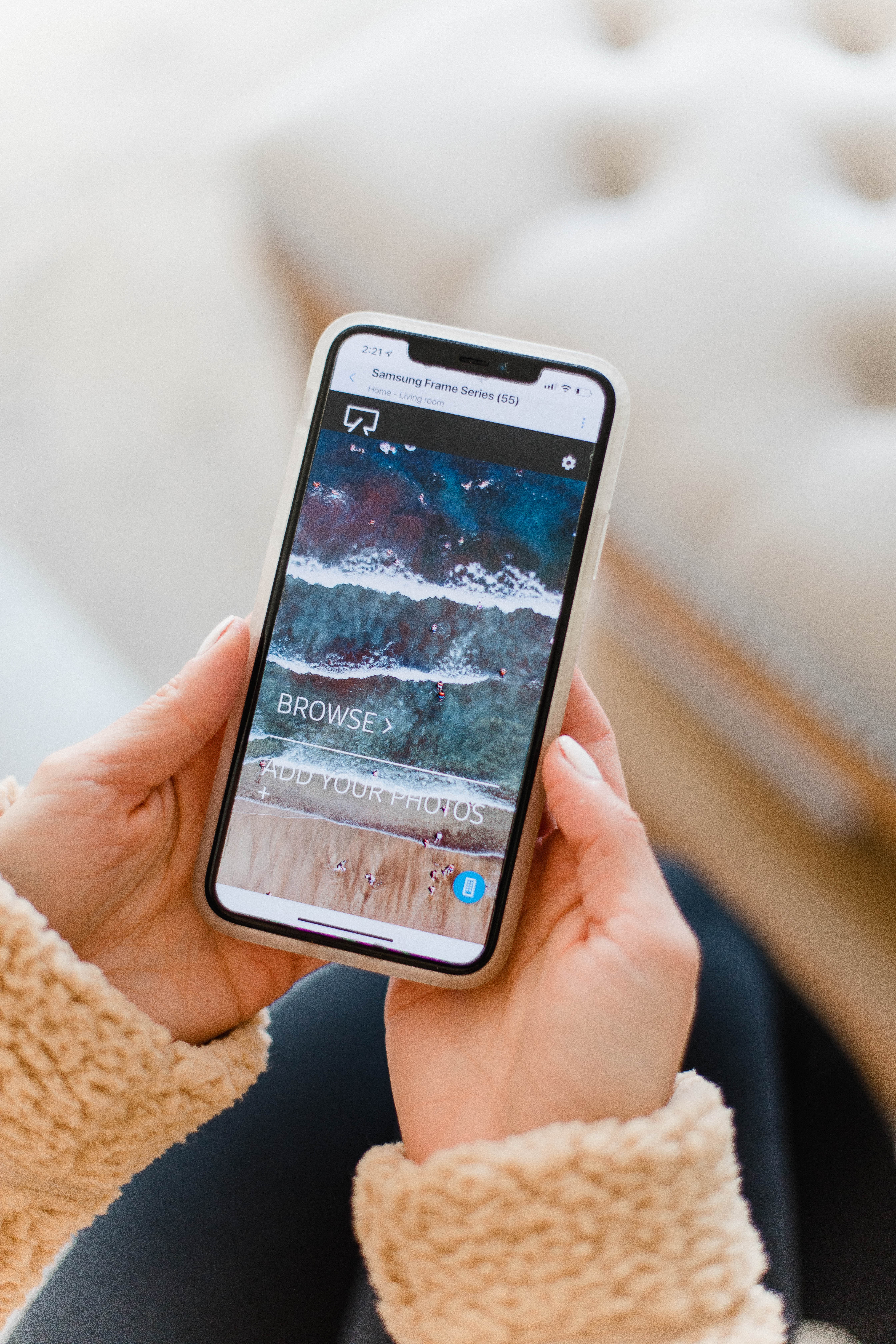
Because the Frame is a certain size, some images need to be resized to fit in the way you might want. I had to play around with cropping the image to get it to fit just right. The Frame gives you the option to have a mat around most images. Due to this image size, it would ONLY allow me to have a mat. Which was fine, but I really wanted the option to have NO mat and have the image fill the full screen. The Etsy shop owner of the image ended up resizing the image for me, to 3840×2160 pixels. When I re-uploaded the image at this size, it allowed me to have NO mat as well as several mat options!
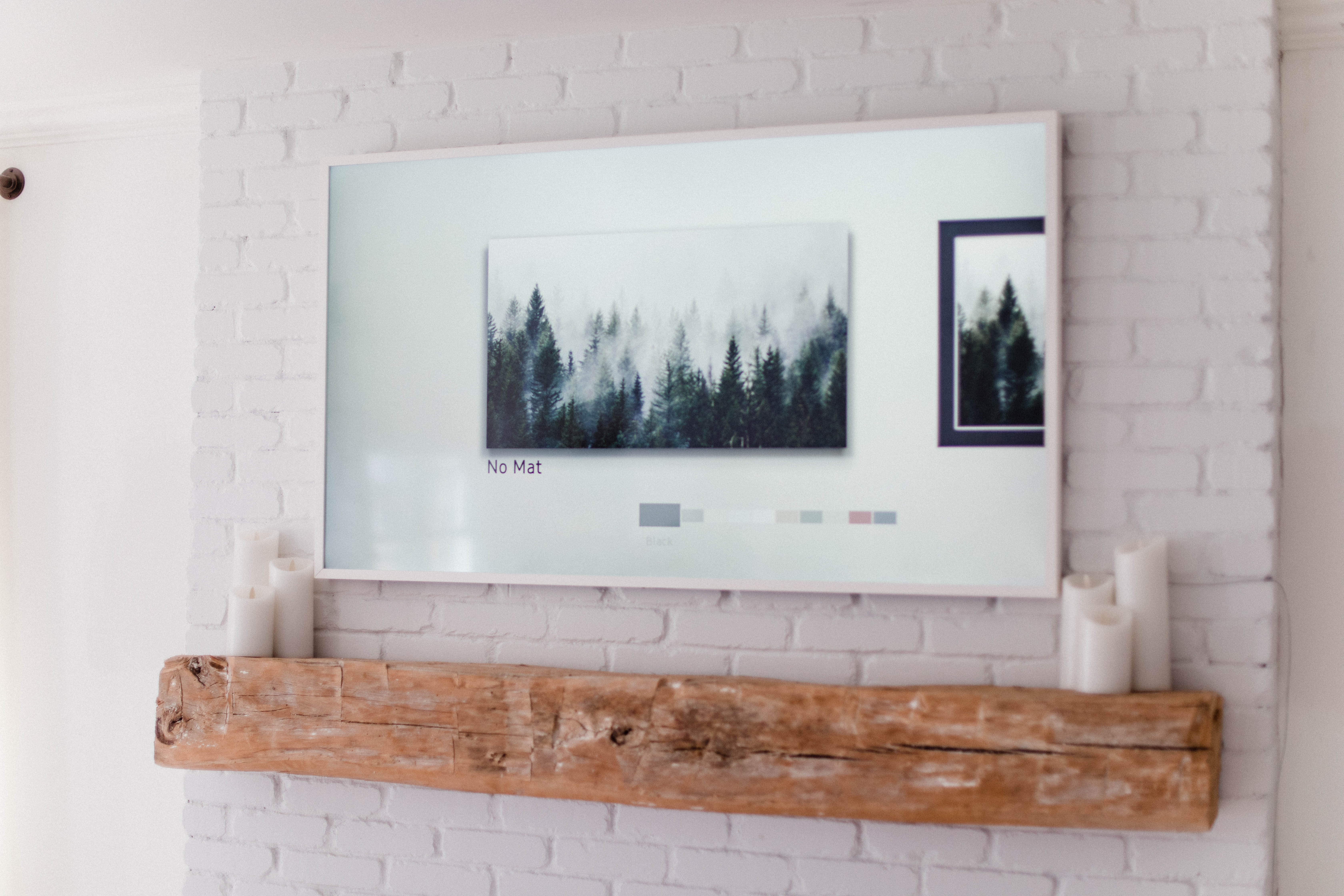
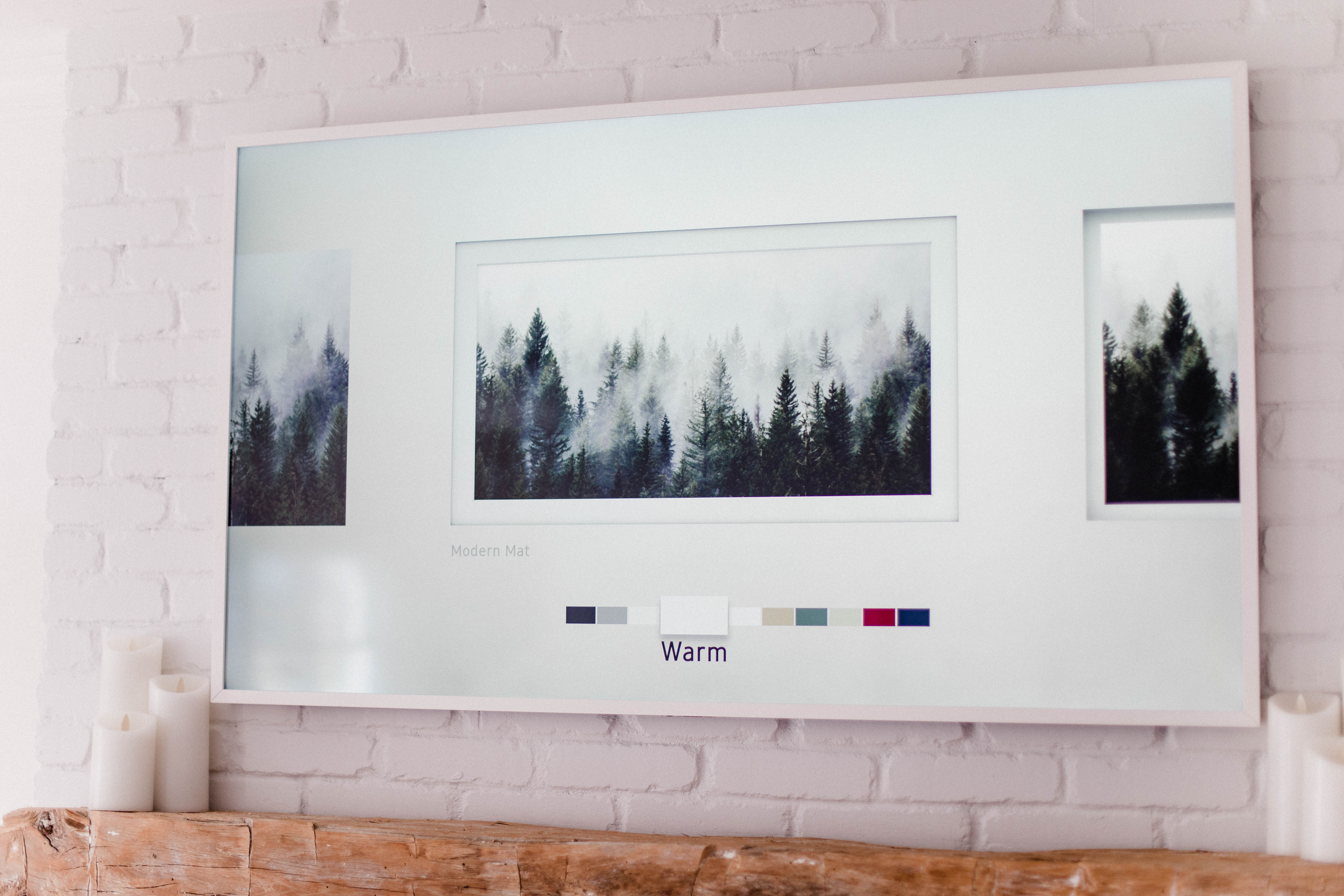
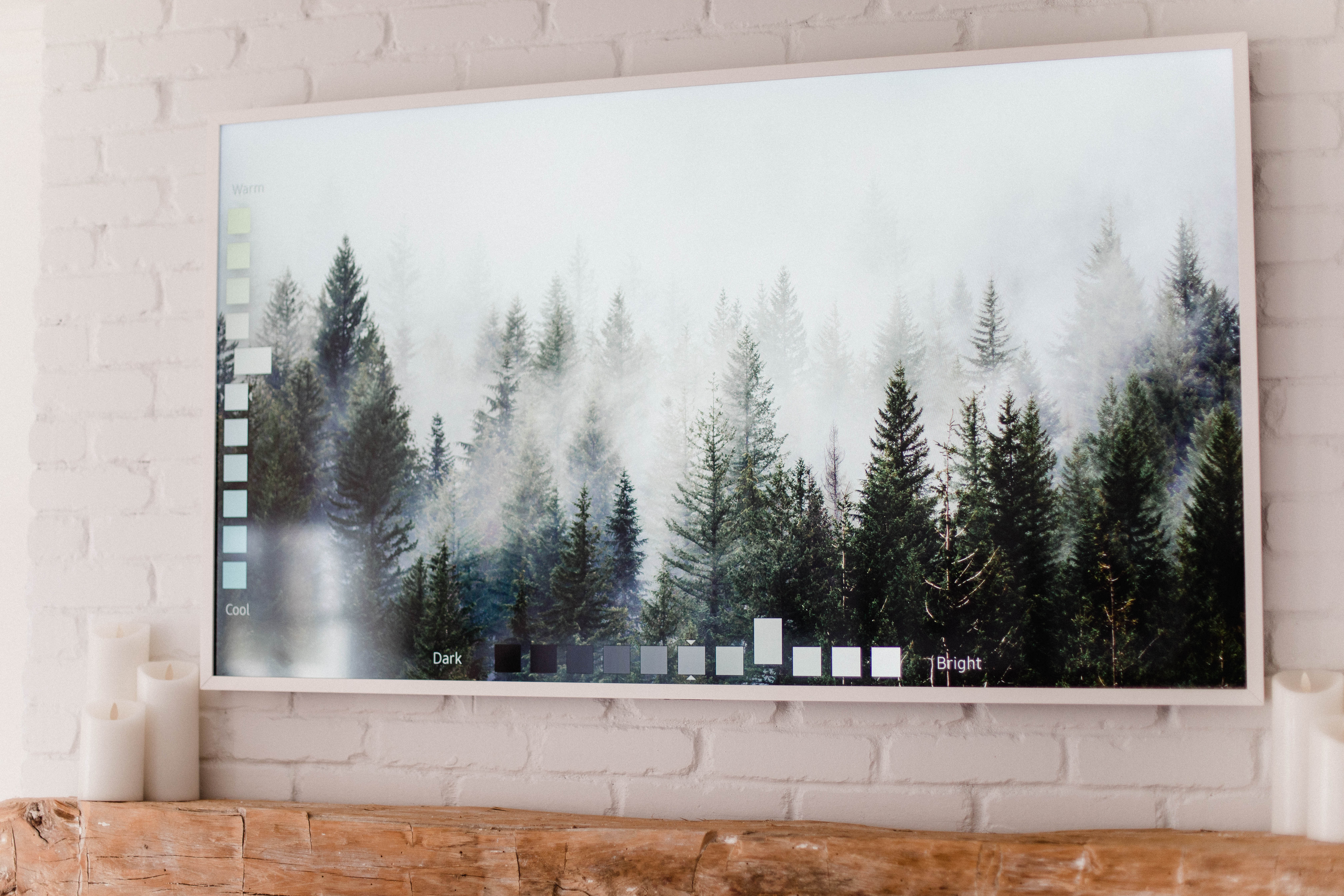
I played around with the brightness and tone on the screen (a control on the remote) to get it to look the least glowy as possible. I do think that having white in the image will make it glow a bit, but otherwise it looks so great!
Going forward, I’ll be purchasing digital art on Etsy that fits my style, and requesting the shop owner to change the size if possible. Not only is this a cheaper option, but it makes the Frame more personalized to YOU. I tried uploading family photos to the Frame as well, but again I would recommend having them resized so they don’t look pixelated and blurry! Ours looked very glowy but I think it was because the background is so light.
Other FAQs re: the Samsung Frame TV…
Will the image burn into the frame? No! The screen is specifically designed so this will not happen. The TV can detect motion, so it goes into standby mode when no one is in the room!
How do you hide the cables? The TV comes with a separate box that contains all of the TV component (this is also how the TV is able to hang flat on the wall). There is a very thin, clear wire that connects the box and the TV that is easily concealable. The best part is the box can be hidden! The remote does NOT need to be pointed at the box in order to control the TV. It runs on radio frequency, and as long as the signal can reach the box, it will work. We have our box hidden behind a corner cabinet in our living room! The wire runs along the brick and down the wall.
Can you switch out the frames? Yes, but they are pricey! We have a white frame, but they’re available in black and various wood tones, too. They’re about $200 each and snap right onto the TV.
I hope this helps if you have a Samsung Frame TV! There are a variety of digital artwork shops on Etsy and around the internet! 🙂

READ NOW, PIN LATER:
I just got the frame TV. The issue I’m having is I purchased a few images off Etsy but none of them show up when I go to add pictures on the SmartThings app. I have no idea why any suggestions?
Did you figure it out? I had the same problem but it turned out that they were saving with my earlier photos.
I had a similar problem! I ended up putting the pics on my computer, transferring to a USB stick, then putting the USB stick into the back of the One Connect box. Then when I was in Art mode, I could add them to My Photos. Worked perfectly!
https://eu.community.samsung.com/t5/tv/frame-tv-2019-not-uploading-all-photos/td-p/1492045
I had a similar problem! I ended up putting the pics on my computer, transferring to a USB stick, then putting the USB stick into the back of the One Connect box. Then when I was in Art mode, I could add them to My Photos. Worked perfectly!
Does it have to be a Frame TV or can I do this with my regular Samsung Smart TV?
Specifically the Frame TV.
As long as you have the QLED Samsung, you can leave a picture on the screen and it is guaranteed against screen burn. Of course check your owners manual to be sure.
Ours is a Samsung smart TV (made before “The Frame” model came out. It has the QLED screen, is super thin, has uniform thickness, has no bezel, uses the seperate box for components to connect to, uses a Bluetooth remote, and it has an “Art mode”. There are numerous examples online of them being configured above fireplaces or as wall art in a living room. You simply have to purchase a “flush mount” mounting kit, and of course make (or have a shop make) the frame.
Thank you for your article about the art on the Frame TV. I have been trying to resize photos/digital art to the 16:9 ratio but have not successfully been able to remove the matte. It always does a shadow box matte and there is no way to remove matte. Do you have any suggestions?
Hi! Did you try resizing to the dimensions I stated?
Hi there – I recently figured this issue out and if you resize To 1600×900, it should work. I also downloaded a free app called Resize It so I can manipulate the photo myself.
Any rati oof 16:9 will work. but 1600×900 is too low. you have a 4K TV displaying a picture that’s sitting somewhere in between 1080p and 720p.
of course the file you’re resizing will need to be high resolution. it sounds like you might have found this low resolution files from a google search or something.
Hi there – I recently figured this issue out and if you resize To 1600×900, it should work. I also downloaded a free app called Resize It so I can manipulate the photo myself.
This may work but FYI the 4K 16:9 specification is 4096 × 2304 which does full screen on the Frame. I assume any other side will be upscaled.
How are you able to adjust the tone for art mode? I have searched everywhere and for some reason I can only adjust the brightness. You have an image that shows you making the image warmer/cooler.
Hi! So if you push the button with the colorful dots on the remote when the image is up on the screen, you can use the up and down buttons to adjust tone and right and left to adjust brightness. Hope that helps!
When I reset the setting on the TV to make the art look more realistic, it also dims the TV channels, which we don’t want. How did you get around this? Thanks!
Thanks for the reply, it’s only controlling the brightness for me unfortunately. Do you have the 2019 model? I’m wondering if they changed something in the 2020 model and can’t adjust it anymore.
Yes, we purchased it last year!
How did you mount the tv on the brick.. did you have to use anything special or are there any mounting instructions for mounting to brick?
It comes with a bracket to mount the TV! They drilled into the brick.
Thank you!! Very useful. Also love your mantel. Was that DIY project or did you purchase it?
Hi! We had it custom built.
Hi Lauren, great article. What size tv is that?
Hi! 55″.
Lauren,
Where did your husband place the “one connect box” ?
where are all the wires hidden?
We are looking to put the Frame TV above our fireplace as well — but the wires need to go someplace.
We have it tucked behind a cabinet! The wire is strategically placed.
Thank you for this article. It has hopefully solved the problem both I in the UK and my daughter in Singapore are having. We could neither work out how to get rid of the matte!
Thank you for this information. Very helpful.
I have the 65 inch the frame 2020 and tried the dimensions of 3840 x 2160, but it doesn’t work. Do you know if the dimensions need to be the same as the 55 inch tv? I tried several options, but every time I get this annoying mat around my picture and I would like to show a picture of my kids full frame without a mat. Hope you can help me out with is issue. Even tried the aspect ratio 1600 x 900 but that does not help as well.
Regards,
Marcel
When I reset the setting on the TV to make the art look more realistic, it also dims the TV channels, which we don’t want. How did you get around this? Thanks!
Thank you for this post – I am in the same predicament (tv over the fireplace) and have been looking for creative solutions. I’ve read that “The Frame” tv is hard to view from an angle…. have you had any problems with this?
Thanks for this info. You have helped us past our initial frustration of not feeling we had the art piece we wanted. Continued happy viewing for you and yours.
As long as you have the QLED Samsung, you can leave a picture on the screen and it is guaranteed against screen burn. Of course check your owners manual to be sure.
Ours is a Samsung smart TV (made before “The Frame” model came out. It has the QLED screen, is super thin, has uniform thickness, has no bezel, uses the seperate box for components to connect to, uses a Bluetooth remote, and it has an “Art mode”. There are numerous examples online of them being configured above fireplaces or as wall art in a living room. You simply have to purchase a “flush mount” mounting kit, and of course make (or have a shop make) the frame.
Beautiful!
Wondering where you put all of your TV receiver stuff?
How big is your fireplace and what size is your tv? I’m trying to figure out what size tv I would need for a 60” wide fireplace. Thanks!!
This looks awesome! How did you hide the power cord for the tv and the tower for you cable provider? We are considering buying a frame tv, but are worried all the wire will show. Our whole wall is bricked not just the fireplace.
The beauty of the Frame TV is that there is only one single thin clear cord coming from the bottom of the TV that goes into a box called the one connect. This thin clear cord is your power source and is very long so you can put the one connect box up to 15 feet away from the actual TV. A lot of people might put the clear one connect cord behind the wall, but it’s clear and very thin and only one cord, so we didn’t and you can barely see it especially in dimmer lights.
Now for the cable box, etc, those all plug directly into the one connect box which is like the insides of the actually TV. You do not need to plug your cable, HDMI, gaming systems, firestick etc into the actual Frame TV; you plug them into the one connect only that is hidden somewhere else.
We have our Frame above the fireplace and our one connect box is on the bottom shelf of a nearby bookcase and we hid it with a false book. Basically took a big hard cover book, took out the pages and covered the one connect so nobody sees it. All the cords you mentioned are in teh back of it and tucked behind the bookcase.
Hope that helps!
Hello – thanks for the write up. What are your key video settings to get the least glow?
Any advice is appreciated =)
-Ryan (and Tanya)
Is there a way to make the mat default? It seems like it comes and goes… thanks
Thanks for this – we have resized and it is stil automatically adding the matte! Also, wondering how to change the mat (not the color, but the orientation) its only giving option of shadow box – want it to look like an actual matte..thanks!
Hi, I just got the Frame (I’m a home blogger too) and I’ve spent hours literally adjusting the brightness and tone and can’t get it to not look glowy as you say! It doesn’t bother me in general but for my photos it looks pink and purple (so awful!) and it’s driving me crazy! I haven’t tried the Etsy art yet but what setting did you put the brightness and color tone on? Maybe that will help me if I can find the right setting.
Thanks so much for writing this post – I was thrilled to find it! Really appreciate any input you can give me!
I was looking at the exact same picture for a wall mural so would love to get the Etsy shop you used for my Frame TV. Thank you SO much!